An AI Employee for MYOB, Setup and Workflows
What an AI Employee does inside an MYOB file, how setup actually works, where the human line sits, and an honest, pragmatic take on the MYOB versus Xero question for Australian SMBs.
Quick answer
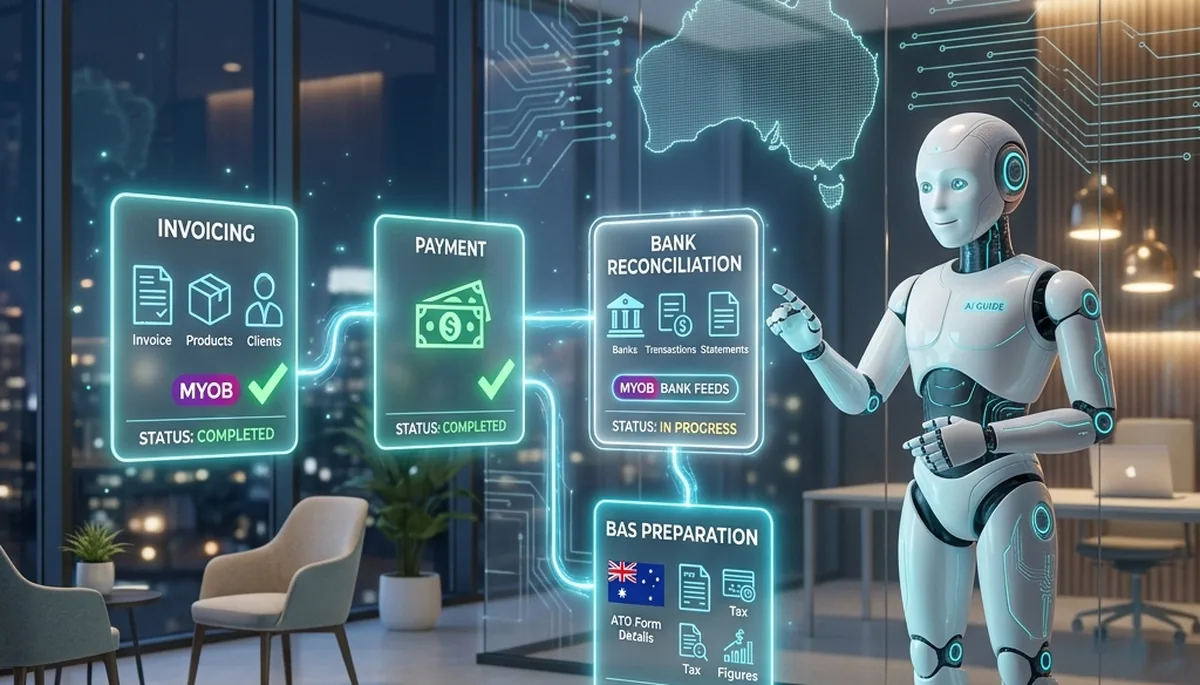
Yes, an Agentive AI Employee works with MYOB. It connects through MYOB's cloud API and does the mechanical finance work a bookkeeper does inside the file, proposing bank reconciliation matches, drafting and chasing invoices, coding supplier bills, cleaning contacts, and preparing BAS and GST figures for review. The core bookkeeping loop is supported today; deeper payroll and MYOB Practice tax workflows are on the roadmap. The day-to-day experience is close to the Xero workflow. And on the question everyone asks, no, most MYOB businesses should not switch to Xero just to use an AI Employee. Switch only if MYOB no longer fits your business. This guide covers setup, the supported workflows, the honest gaps, and the MYOB versus Xero decision.
Yes, an AI Employee Works With MYOB
MYOB has been running Australian and New Zealand books for decades, and a large share of established SMBs, trades and practices still run on it. So the first question we get from an MYOB business is simple: does your AI Employee even work with our file, or is this a Xero-only thing? The answer is that MYOB is supported. The AI Employee connects to MYOB through the official cloud API and works across the file the way a bookkeeper would, reading the chart of accounts, the historical coding, the bank feeds and the GST settings, then doing the preparation work and handing you the exceptions.
The important reframing, and it is the same one that applies to any accounting platform, is that the integration is not a robot pressing buttons faster. It is an operator that understands the file. It authenticates through a scoped, revocable connection, requests only the access it needs, and reads and writes through supported endpoints. That posture matters just as much for an MYOB file as it does for anything else, because a finance business needs a finite, auditable, revocable connection before it lets anything near live books.
Which MYOB Product You Are On Matters
MYOB is not one product, and the distinction decides how smooth setup will be. The clean, fully supported path is any cloud-connected file: MYOB Business, formerly MYOB Essentials, and AccountRight files that are online rather than sitting only on a local machine. These expose a live API surface the AI Employee can authenticate against, which is what makes the whole workflow possible.
The one genuine exception is a purely local AccountRight file that has never been put online. If the data lives only in a desktop file with no cloud connection, there is no live endpoint to connect to, and the honest answer is that the file needs to be cloud-connected first. The good news is that most MYOB files already are, because MYOB has spent years moving customers to the online model. In practice the first setup step is a two-minute check that the file is online, not a migration.
The Workflows It Runs Inside MYOB
The core bookkeeping loop is what an AI Employee does best, and it maps cleanly onto MYOB. Here is what it actually touches, function by function.
Bank Reconciliation
This is where trust gets earned, because it is high volume, low judgement and easy to check. The bank feed drops new lines into MYOB and each one needs a match: this line is that invoice, that line is a supplier bill, this one is a bank fee, that one is a transfer. The AI Employee proposes a match for each imported line, drawing on outstanding invoices and bills, existing rules, the payee text, the amount and the historical pattern for that contact. Confident matches come as a clean batch for one-click approval; the unsure ones get flagged with a short plain-English reason, for example "amount matches invoice 1043 but the payee name differs". You review the flagged items, and over the first fortnight the confident batch grows and the flagged pile shrinks.
Invoicing and Getting Paid
On the sales side, the AI Employee handles the invoice lifecycle inside MYOB. It creates invoices from a plain-English instruction or a recurring template, applies the right account codes and GST treatment, and sends them under your branding. It watches the receivables ledger and, when invoices go overdue, drafts a follow-up that reflects the customer history and any partial payment rather than a generic template. Drafts land in a review queue, then go out from the real inbox. Two effects show up fast: days sales outstanding drops, and the small debts that used to sit under the "too small to chase" line finally get followed.
Supplier Bills and Consistent Coding
Bills are the messy middle of any file. A bill arrives, it needs the right account code, the correct GST treatment for the supplier's ABN status, sometimes a split across categories, and routing for approval. The AI Employee reads the supplier's coding history, applies the same pattern, checks the GST treatment, splits where the description warrants it, and queues the entry with a confidence note. The headline benefit is not speed, it is consistency, because the same rules apply every time instead of depending on who happened to process the bill. The full scope of this sits inside the finance skill.
BAS Preparation and GST Review
BAS is the job most Australian businesses want to hand over. The AI Employee assembles the BAS-ready position directly from the MYOB file, then runs the GST review checks a careful human would run, faster and without fatigue:
- • Unreconciled items that would distort the period figures if left open.
- • Mismatched tax codes, for example GST charged on a GST-free supply, or the reverse.
- • Capital versus non-capital purchase classification for the G10 and G11 split.
- • Prior-period adjustments that change a settled period.
- • Contacts with no ABN where GST has been claimed, a common audit trigger.
The output is a review pack: the calculated position plus the exceptions that need a human decision. A registered agent reviews the pack, resolves the exceptions, and lodges. The AI Employee does not lodge, and that line is deliberate. For the wider practice workflow, see how an AI Employee for bookkeepers runs BAS prep and client comms, and how an AI Employee for accountants fits the review and advisory side.
Contact Clean-Up
An MYOB file is only as reliable as its contacts, and most carry years of duplicates, missing ABNs and inconsistent names. The AI Employee flags likely duplicates, fills missing ABN and address details where it can verify them, standardises naming, and links contacts to the right invoices and bills. It is unglamorous work no one schedules and everyone needs, and it directly improves the accuracy of GST treatment downstream.
Supported Today, and What Is Coming
We would rather you know the line before you sign up than discover it after. Here is the honest state of the MYOB integration.
| Workflow | Status | Notes |
|---|---|---|
| Bank reconciliation | Supported today | Match proposals plus flagged exceptions |
| Invoicing and chasing | Supported today | Create, code, draft reminders, send on approval |
| Supplier bill coding | Supported today | History-based coding with confidence notes |
| BAS and GST review pack | Supported today | Prepared for a registered agent to review and lodge |
| Contact clean-up | Supported today | Duplicates, ABNs, naming, links |
| Deeper payroll workflows | On the roadmap | Basic payroll data is read; end-to-end runs are maturing |
| MYOB Practice and tax returns | On the roadmap | Prep support is growing toward Xero Tax parity |
The short version: the core bookkeeping and BAS loop that consumes most of a practice's week is live on MYOB today. The deeper payroll and practice-tax workflows are being built out and are not yet at the same depth as the equivalent Xero paths. If your immediate need is reconciliation, invoicing, coding and BAS prep, MYOB is ready. If your primary need is end-to-end payroll or tax-return automation, ask us where that stands for your exact setup before you commit.
How the MYOB Workflow Compares to Xero
If you have read our Xero integration guide, most of this will feel familiar, because the day-to-day rhythm is close to identical. On both platforms you connect through a scoped authorisation, let the AI Employee learn your coding over a couple of weeks, then work a review queue of drafted work and flagged exceptions. The mental model, draft at machine speed, human signs off on anything material, does not change with the logo on the file.
The differences are at the edges, and they come down to how mature each platform's API is. Xero currently exposes a broader and more established API, which is why multi-organisation sweeps across thirty to two hundred files and some tax-return workflows are a little deeper on Xero today. MYOB's cloud API covers the core bookkeeping loop well, and the gap narrows every quarter as both MYOB and our integration evolve.
| Dimension | MYOB | Xero |
|---|---|---|
| Core reconciliation and BAS | Full support | Full support |
| Invoicing and supplier coding | Full support | Full support |
| Multi-file practice sweeps | Supported, maturing | Deep, multi-org in one pass |
| Tax-return preparation | On the roadmap | Working-paper drafting via Xero Tax |
| Setup and learning period | Minutes to connect, ~2 weeks to tune | Minutes to connect, ~2 weeks to tune |
Should I Switch to Xero to Use an AI Employee?
This is the question every MYOB business asks once they see what an AI Employee does, and we will give you the pragmatic answer rather than the one that sells a bigger project. For most businesses, no, you should not switch to Xero just to use an AI Employee. If MYOB fits your operations, your payroll and your reporting, the AI Employee runs the core bookkeeping and BAS loop against it well, and the day-to-day experience is very comparable to Xero.
Switching accounting platforms is a real project, not a toggle. It carries migration risk on opening balances and history, staff retraining, a period of running two systems in parallel, and the quiet cost of everyone relearning where things live. Taking that on to gain a feature or two of extra API depth is almost never worth it. The AI Employee sits on top of whichever platform you run; it is not a reason to change the platform underneath.
There is a narrow case where switching does make sense, and it has nothing to do with us. If MYOB has genuinely stopped fitting your business, the reporting is not giving you what you need, your accountant strongly prefers Xero, your industry apps integrate better with Xero, or you are already mid-migration for other reasons, then move for those reasons and enjoy the slightly deeper AI workflows as a bonus. But the trigger should be that MYOB no longer fits, not that you are chasing the AI. Change the platform because of the business, and let the AI Operation Engine follow you to whichever one you land on.
Where the Human Line Sits, on MYOB Too
The platform changes, the line does not. Everything the AI Employee touches inside MYOB falls into one of two columns: work it does at speed, and decisions a human owns. It proposes reconciliation matches; a human approves batches and resolves the flagged ones. It drafts invoices and reminders; a human approves the send where the business wants it. It codes bills against history; a human checks the ambiguous ones. It prepares BAS figures and surfaces exceptions; a registered agent reviews and lodges. It never authorises a payment, and it never lodges. Those steps stay with a human by design, not by limitation.
For any registered BAS or tax agent, this is not a nice-to-have, it is what keeps you compliant. The Tax Practitioners Board Code of Professional Conduct still applies, whatever software you run, and it turns on competence and supervision, honesty and integrity of the record, and reasonable care with client information. The AI Employee is built around those obligations: a human reviews and lodges, every action is written to an immutable audit log, and each deployment runs single-tenant on AWS Sydney with all inference inside Australia and no data leaving Australian borders. The deployment is aligned with APRA CPS 234 and ASIC RG 255 as well as the TPB Code. The honest framing is the same as it is on Xero, the AI Employee removes the labour, not the responsibility.
Getting Connected: What MYOB Setup Looks Like
Confirm the File Is Cloud-Connected
MYOB Business and online AccountRight files are ready. If it is a purely local AccountRight file, the one-off step is putting it online first. This is a two-minute check, not a migration.
Authorise Scoped Access
You grant the AI Employee scoped access to the MYOB file through the official connection. It takes minutes, uses least-privilege access, and can be revoked at any time.
Let It Learn Your Conventions
Over the first couple of weeks it learns your chart of accounts, coding patterns and review preferences from your own history, so its proposals start matching how you already work.
Work the Review Queue
Day to day, you approve confident batches, resolve the flagged exceptions, and lodge what needs lodging. The review ratio is higher early and drops as trust builds.
Honest Limitations
Four things to be straight about. First, output quality is bounded by data quality; if an MYOB file has been coded loosely for two years, the first reconciliation and BAS pass will surface that inconsistency before it cleans it up, which can feel like more work up front. Second, nothing is zero-supervision on day one, the early weeks carry a higher review ratio while the AI Employee learns your file. Third, the deeper payroll and practice-tax workflows are still maturing on MYOB, so if those are your headline need, confirm the current state for your exact setup before you commit. Fourth, anything that finalises a position, a payment or a lodgement under a registered agent's number, requires explicit human sign-off, and always will.
None of these is a deal-breaker. They are the reason the integration is built around a review queue rather than blind automation, and they are the same reasons that make it safe to run against real books.
The Honest Close
MYOB already stores your books and enforces your ledger. What it has never had is an operator that works across the file the way a bookkeeper does, at machine speed, seven days a week, and consistent to the same rules every time. That is what an Agentive AI Employee adds, and it adds it to your MYOB file today, not to some future version of your business on a different platform. It reconciles, invoices, codes, cleans contacts and prepares BAS, then hands the material decisions to a human who signs off. You do not need to switch to Xero to get it. You need a file that is online and a fortnight for it to learn how you work.
Next Step
Bring one MYOB file you know well. We will connect an AI Employee, run a live reconciliation and BAS-readiness pass, and show you exactly what lands in the review queue and what stays with you to sign.
Or read the AI Employee pillar page for the broader product context, and the finance skill page for the architecture behind the MYOB work.
Related: Explore the AI Employee Cluster
- The AI Employee Pillar Page: single-tenant deployment, AWS Sydney, and the regulator-aligned architecture behind every Agentive AI Employee.
- The Finance Skill: the architecture and scope of the finance skill that powers reconciliation, BAS, GST review and supplier coding.
- AI Employee for Bookkeepers: how Australian bookkeeping practices put a dedicated AI to work on BAS prep, reconciliations and client comms.
- AI Employee for Accountants: where an AI Employee fits the review, compliance and advisory side of an accounting practice.
See an AI Employee Run on Your Own MYOB File
Bring one MYOB file you know well. We will connect an AI Employee, run a live reconciliation and BAS-readiness pass, and show you exactly what lands in the review queue. No deck, no obligation.